Fix Fan Grinding on Hp Dev One (Elitebook 845)
I run my HP Dev One pretty hard, and after years of running the fans at pretty much full tilt compiling random programs, it started to make this awful grinding noise. Cleaning the dust off didn’t work, and AFAICT it wasn’t grinding against any part of the fan housing. Eventually I figured out that it had ground itself into dust that was leading to the noise, and so here’s the fix. Apologies for poor quality pictures – it was a late night endeavor and I honestly don’t feel like fixing them up.
Start by taking off the cover of the laptop off. As with any electronics, REMOVE THE BATTERY FIRST!!! Look for the connector coming out of the battery and gently wiggle it out. You don’t have to remove the entire battery, just make sure it’s unplugged. I got around this by removing the battery entirely, since it had become swollen and I never got a replacement. Then, look for the fan.
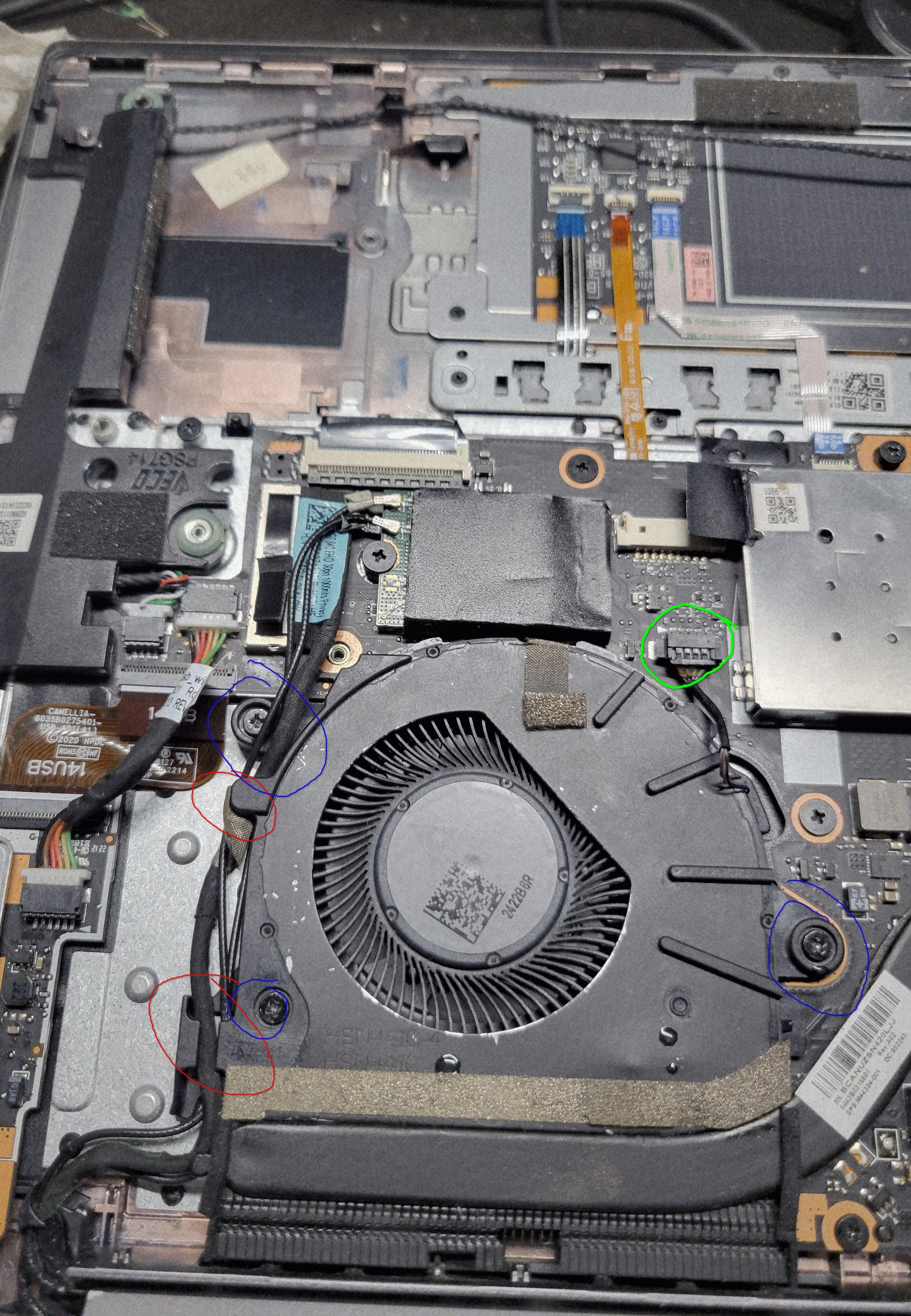
Start by gently removing the wires out of the cable guides in the fan. It’s a slightly tight fit, just be patient and wiggle it out. If you accidentally unplug the thin antenna wires, don’t worry, just plug it back in later. Then, remove the three screws in the blue. Then, gently remove the connector in green. You should be then able to gently remove the entire fan.
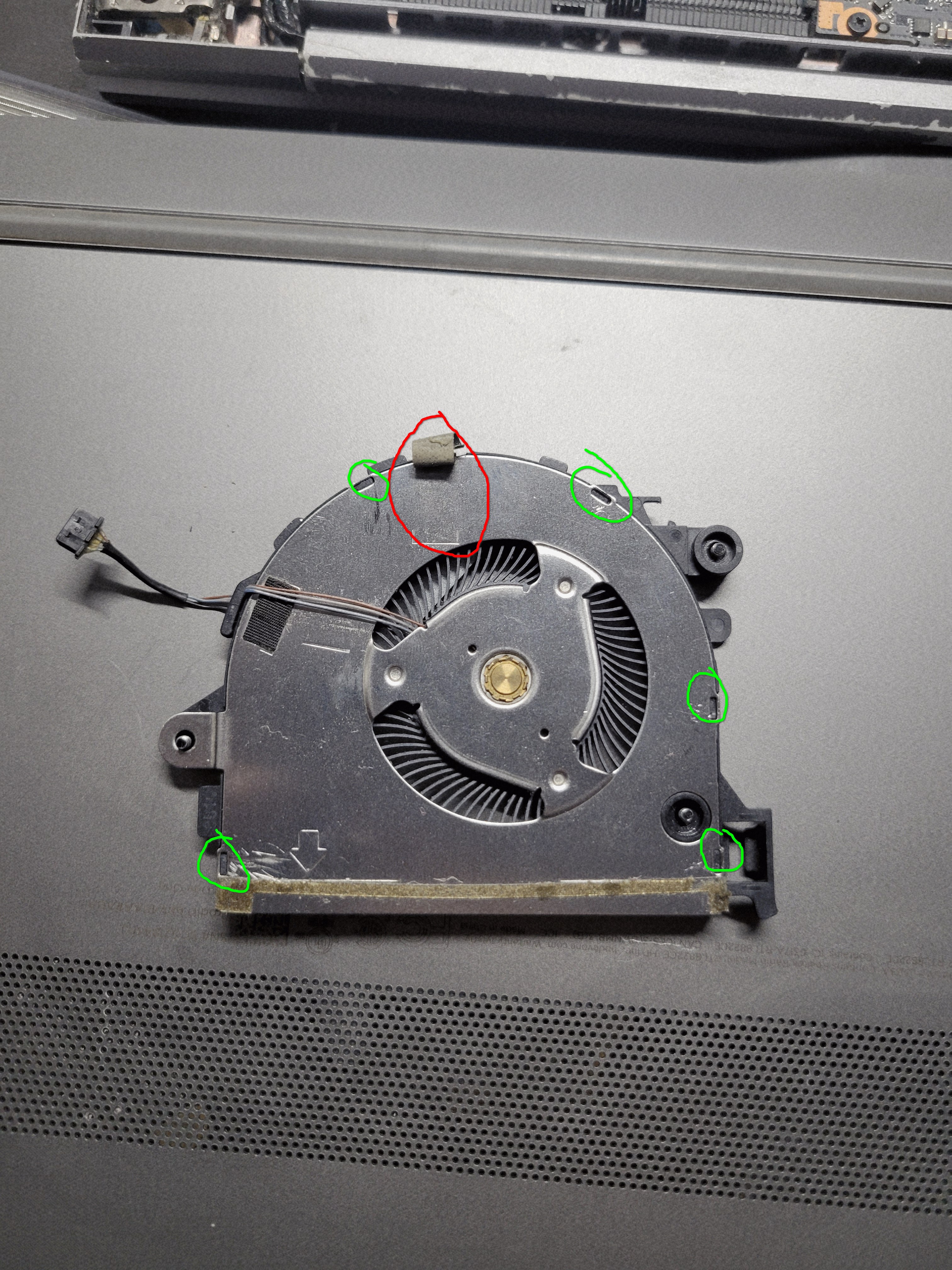
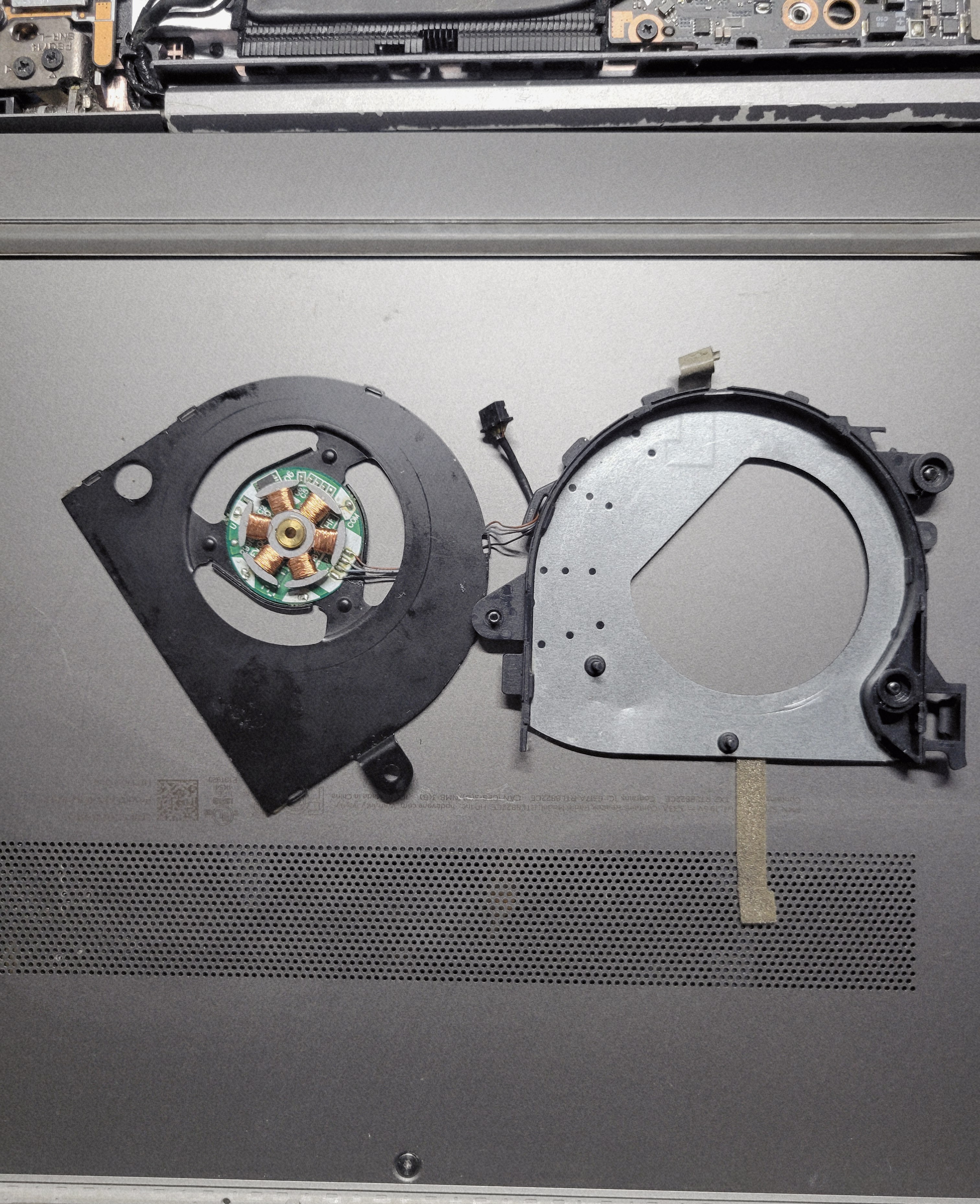
Flip it over, and peel back the tape in red. We’re going to have to get this housing open, which is connected via the plastic clips in green. Unfortunately, there’s no way to do that without cutting it. With a sharp knife, cut these plastic clips off. Once you do, you can’t seal the housing back together, but since it’s being screwed down in the laptop again, it doens’t matter – it will be held down by screws. Then, gently move the two halves apart. Be careful, the wire is tucked into a little flap on the other half – don’t rip it.
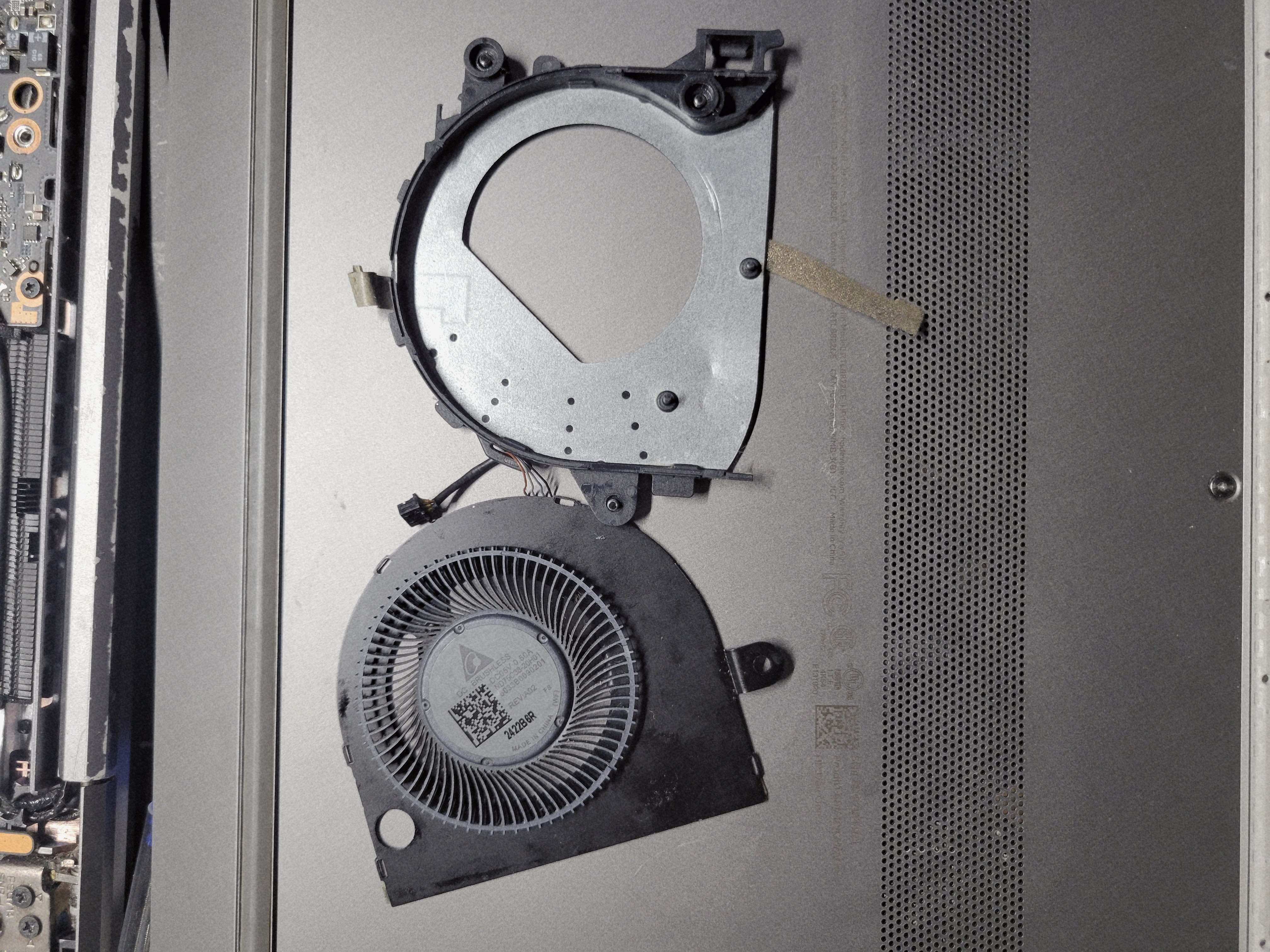
Ignore the little foam that’s peeking out, I accidentally ripped it off. It’s also a little greasy since I sprayed it in here before this fix hoping it’d fix itself.
Anyway, gently lift the gray fan. If you flip it over, you can see where it connects to the main motor. This is the part that slowly degrades over time – after spinning for so long, metal flakes can get off and get stuck in the gold housing that it sits in. The fix is simple – clean both the gold housing and the little stick on the fan with some rubbing alcohol, and then add a drop of grease in the housing. I used white lithium grease.
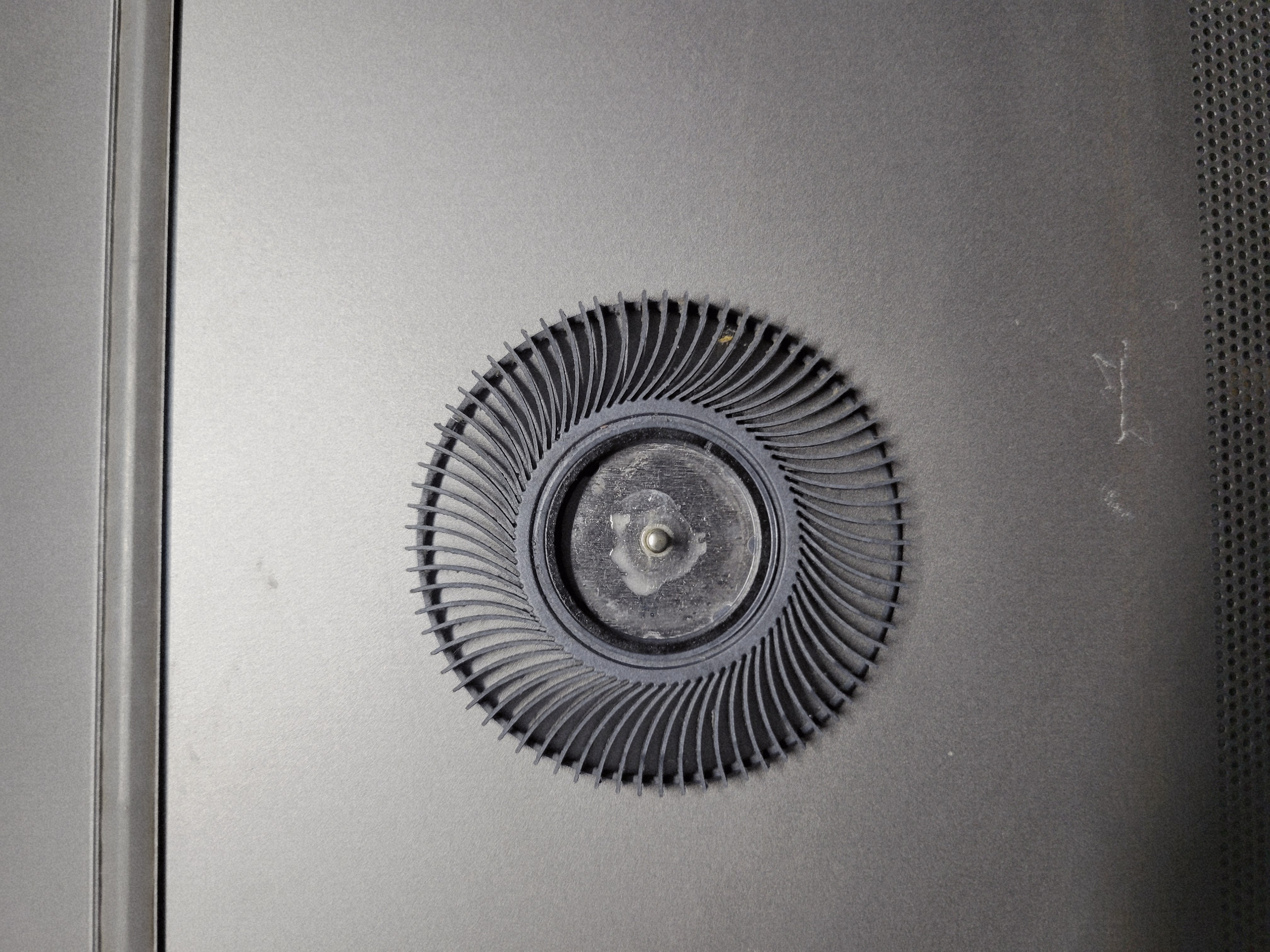
Then, simply let it dry just to make sure nothing shorts, slap everything back together and your fan is as good as new!